Is it safe? Can it delete the wrong thing?
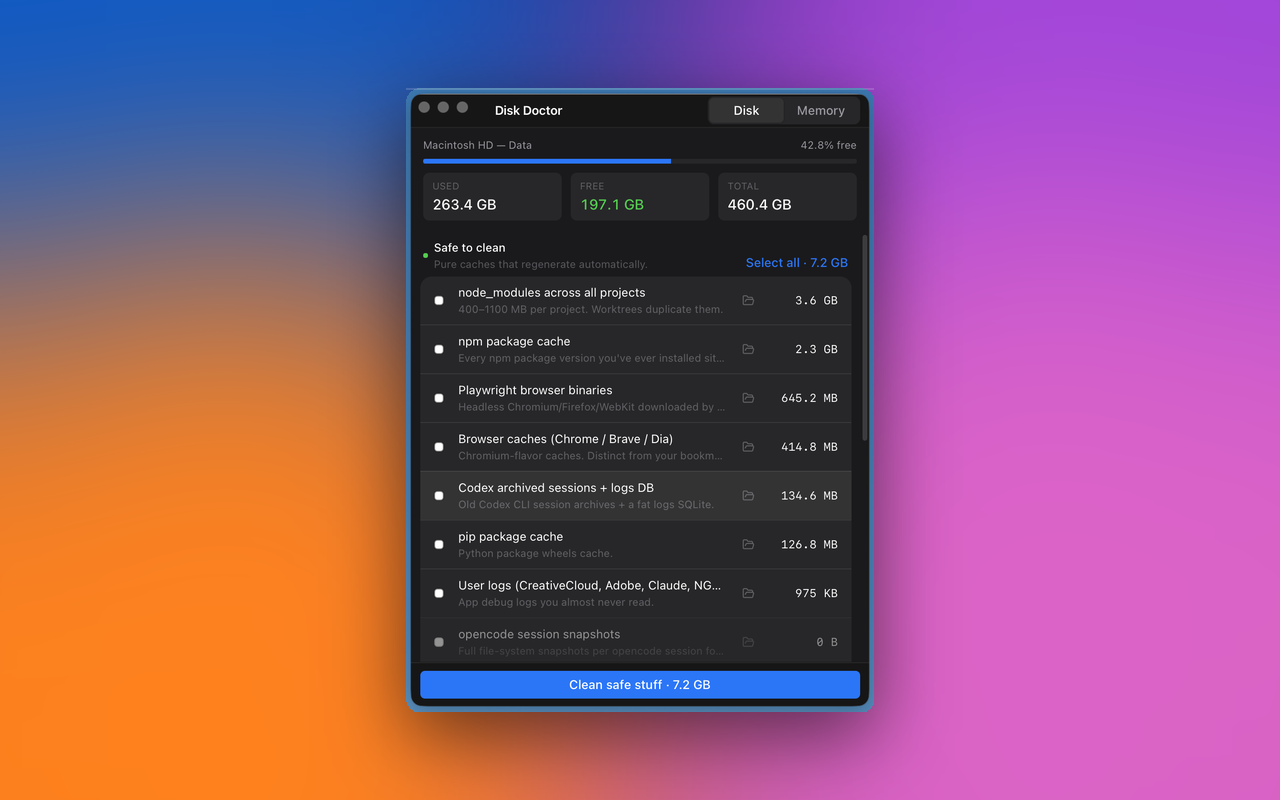
Every Tier 1 path is hard-coded to a known cache directory — no user-supplied globs, ever. Tier 2 and Tier 3 deletions route through the macOS Trash via the trash Rust crate, not silent rm -rf. And the app refuses to clean a category if its owning app is running — quit Descript before its partitions get touched, for example.
It says "Disk Doctor is damaged and can't be opened." Did I download a corrupt file?
No — the download is fine. macOS Sonoma and Sequoia show that exact "is damaged" wording for any app that isn't notarized by Apple and carries the browser quarantine flag. It's a Gatekeeper message, not a file-integrity message. Three ways past it, easiest first:
1. Use Homebrew — brew install --cask midcurvelabs/tap/disk-doctor handles the quarantine step for you on install. Zero Terminal commands afterwards.
2. Run one command — if you already downloaded the DMG and dragged the app to Applications, paste xattr -dr com.apple.quarantine /Applications/Disk\ Doctor.app into Terminal and hit Enter. Then double-click the app.
3. System Settings (no Terminal) — open System Settings → Privacy & Security, scroll near the bottom, look for "Disk Doctor was blocked…" and click Open Anyway. Works on macOS 13–14; some Sequoia (15) installs don't show this button for the "damaged" case, in which case use option 1 or 2.
If you already clicked "Move to Bin," drag Disk Doctor back into Applications from the Trash first.
What does the Homebrew install actually do? Is it safe?
The tap (midcurvelabs/homebrew-tap) is a tiny public repo containing one Ruby cask formula. brew install --cask midcurvelabs/tap/disk-doctor downloads the same DMG from this site's GitHub releases, verifies the SHA-256, copies Disk Doctor.app into /Applications, then runs xattr -dr com.apple.quarantine on it as a postflight step. Same binary as the manual download — just with the Gatekeeper detour automated. brew uninstall --cask cleanly reverses everything, including app support files.
Why does macOS warn at all? Is the app safe?
v0.1.0 is ad-hoc signed, not notarized through Apple's paid developer program. macOS therefore can't verify the publisher and refuses the first launch. The app itself is safe — every line of source is on GitHub and the binary is reproducible from that source. Clearing the quarantine flag simply tells macOS "I trust this download" — exactly what right-click → Open used to do on older macOS versions. v0.2 will ship with proper Apple Developer ID + notarization and this whole step disappears.
Why is there no Intel build yet?
v0.1.0 ships Apple Silicon only because that's where ~95% of active Mac dev users live in 2026. Intel build lands in v0.2 via the GitHub Actions release workflow.
Does it phone home? Telemetry? Analytics?
No. Zero network calls in v0.1. No analytics SDK. No crash reporter. No update check. The app has no notion of "online." History is a single JSON file at ~/Library/Application Support/disk-doctor/history.json — yours alone.
What about CleanMyMac / OnyX / DaisyDisk?
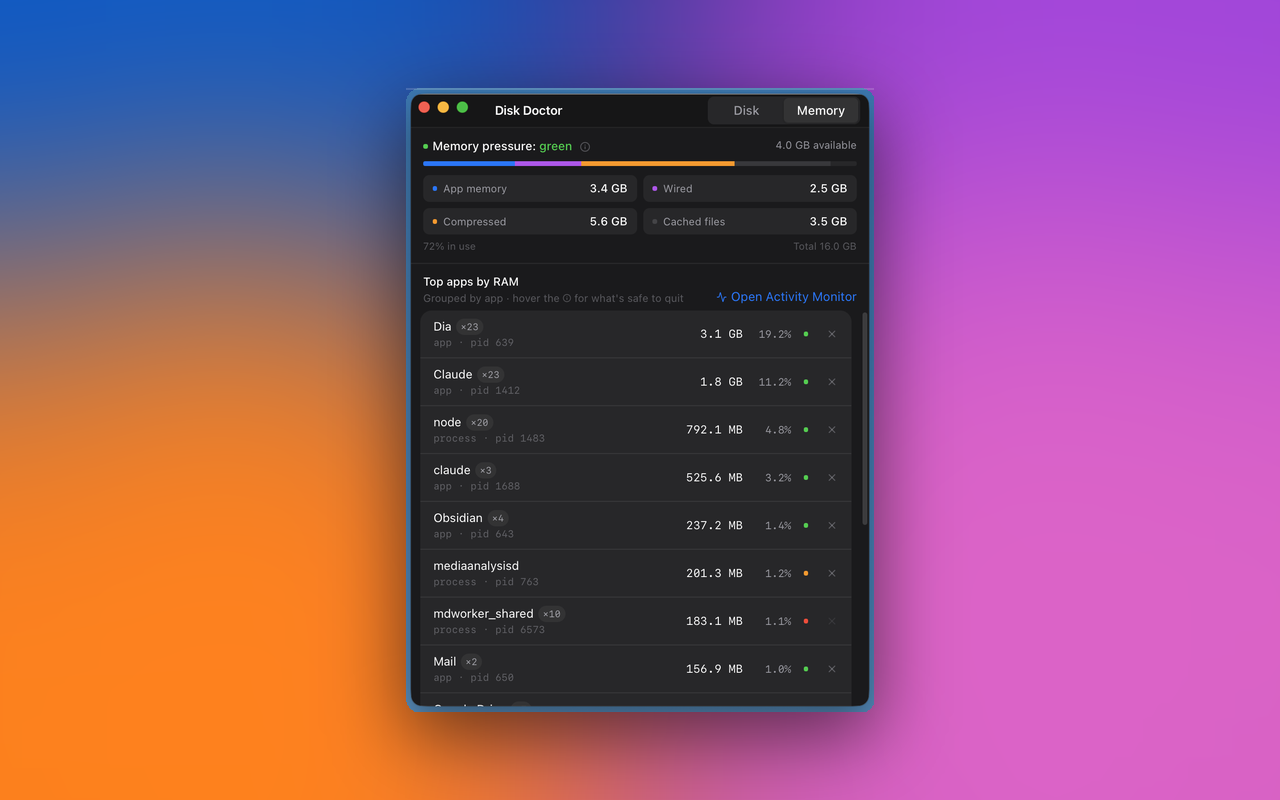
They're good at what they do, but they predate the agent era. They flag Adobe caches and ignore your Claude Code VM, your opencode snapshots, your 28 node_modules across worktrees. Disk Doctor is built specifically for the cruft that builds up when you ship with AI tools. Use both if you want.
Will it work for plain (non-agent) dev work?
Yes. npm cache, node_modules, Xcode DerivedData, pip, Playwright, Homebrew, browser caches, and logs are all useful even without any AI tooling installed. The agent-specific categories simply read as empty in that case.
Can I add a new cache category?
Yes — open a pull request. The catalog is a single Rust file: src-tauri/src/catalog.rs. Adding a category is one struct literal. The README has the contributor walk-through.
What's coming next?
v0.2: Apple notarization, Intel build, customizable scan roots, history sparkline. Post v0.2: opt-in Pro tier with auto-clean schedules, custom rule patterns, and multi-machine sync. Core stays free and MIT forever.